Download a complete, portable copy of your TimeLodge workspace. Use the archive for safekeeping, migration planning, or reconciliation before a major change.
Before you begin
- Use a private device with enough space for the ZIP archive.
- Decide where the downloaded file will be stored and who may access it.
Roles and permissions
An Owner or Admin can request and download a full export. Other roles cannot open Data exports.
Data shared and external side effects
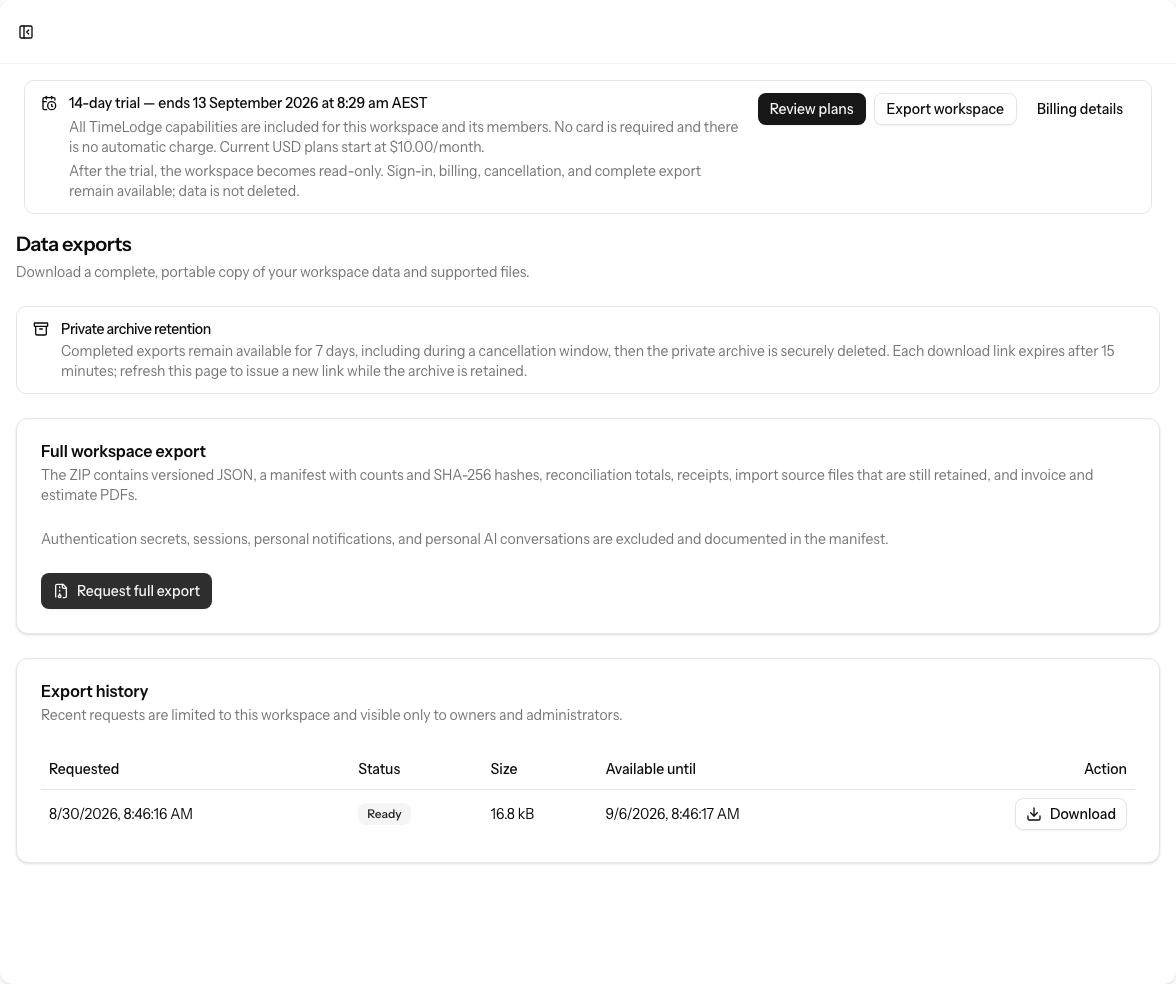
The ZIP contains versioned JSON, a manifest with counts and SHA-256 hashes, reconciliation totals, supported files, retained import sources, and invoice or estimate PDFs. Authentication secrets, sessions, personal notifications, and personal AI conversations are excluded and listed in the manifest.
Requesting an export creates a private archive inside TimeLodge. Downloading copies it to your device; TimeLodge does not send it to another service.
Request and download an export
- Open the account menu.
- Select Data exports.
- Read Private archive retention and Full workspace export.
- Select Request full export.
- Wait for the history row to change from Queued or Processing to Ready.
- Select Download.
- Store the ZIP as private workspace data.
Expected result
The ready row shows the archive size and expiry. The verified fictional workspace downloaded a ZIP whose name identified the workspace and export date.
Disconnect and recovery
There is no connection to disconnect. A completed archive remains available for seven days, then TimeLodge deletes it. Each download link expires after 15 minutes; refresh Data exports to issue a new link while the archive remains retained.
If an export fails, request a new one after checking recent workspace activity. If the retained archive has expired, select Request full export again. Never email a full export or attach it to a public support request.
Troubleshooting
- The export is not Ready: Refresh the page after the background job has had time to run.
- Download no longer starts: Refresh the page to issue a new 15-minute link.
- The archive has expired: Request a new full export.
- A personal setting is missing: Check the manifest exclusions. Full exports cover workspace data, not authentication secrets or personal conversations.
Related guides
Request the export now, then keep the downloaded ZIP wherever you protect your other business records.